
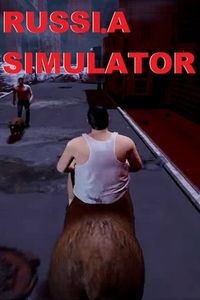
RUSSI.A SIMULATOR: PC requirements and the PC you need
Will my computer play it? + Add to my games list
Cover artwork © the game's publisher.
About RUSSI.A SIMULATOR
RUSSI.A SIMULATOR is a PC game. It came out on 20 Nov 2019.
What RUSSI.A SIMULATOR needs
In plain words: to play at all it needs an entry-level graphics card, and to play it well the makers suggest a mid-range graphics card from a few years ago, with 1,937GB of memory.
| Part | Minimum | Recommended |
|---|---|---|
| Graphics card | GTX 780 | GTX 980 |
| Processor | I7 | Mid to high end |
| Memory (RAM) | 228 GB RAM | 1937 GB RAM |
| Storage | 1984 GB available space | 1984 GB available space |
From the Steam store page, checked 6 November 2026. The makers sometimes change these; their page is always right.
Will my computer play RUSSI.A SIMULATOR?
On most computers we find the graphics card for you. Add your processor and memory, and we will tell you if it plays, and what to upgrade if not.
A low-spec PC or a high-spec PC?
The gap between the minimum and recommended spec is modest, so a mid-range gaming PC gives a good experience.
On a PC that only just meets the minimum, the game will start and play, but on low settings: simpler shadows and textures, shorter view distances and fewer frames each second, so fast moments can feel less smooth. A 1080p screen is the sensible match.
On a PC that meets or beats the recommended spec, you can turn the settings up: sharper textures, proper shadows and lighting, more detail in the distance, and a smoother picture. A stronger PC also lets you use a sharper 1440p or high-refresh screen.
Our PCs that meet the recommended spec
Nothing on our shop meets the recommended spec right now. Ask us and we will build one.
Questions about RUSSI.A SIMULATOR on PC
What graphics card do I need for RUSSI.A SIMULATOR?
The makers say the minimum is GTX 780, and they recommend GTX 980. In plain words: a mid-range graphics card from a few years ago for a good experience.
How much memory (RAM) does RUSSI.A SIMULATOR need?
At least 228GB, and 1,937GB is recommended. 16GB is the sensible amount for a gaming PC today.
Can a gaming PC from Sandbox Computers run RUSSI.A SIMULATOR?
Ask us and we will tell you which PC runs it.
How we match: we compare the graphics card and the memory in each PC with the makers' spec, because those decide most of how a game runs. For very new or demanding games, ask us and we will check the processor too. More help: graphics cards explained, how much RAM, which screen.