
Buying a gaming PC for a child: a parent's guide
Buying a gaming PC for a child is a big decision. You want it to play their games, last a few years, and be safe to use. This guide explains what children usually play, what kind of PC that needs, and how to set it up so you stay in control.
What children usually play
Most children start with a few very popular games. The good news is that they are not very demanding.
- Minecraft: light. Plays well on most PCs. Shaders (add-ons that add realistic light and shadow) need a graphics card.
- Roblox: light. Runs on almost any modern PC.
- Fortnite: light to medium. Plays at low settings on built-in graphics. A graphics card makes it look much better.
Children grow, and so do their games. A PC that only just runs Roblox today may struggle with what their friends play next year. For more on each game, see what PC you need for each game.
Built-in graphics or a graphics card?
The graphics card is the part that draws the picture in a game. Some PCs have built-in graphics instead, which means the graphics are part of the processor.
- Built-in graphics is cheaper and is fine for Minecraft and Roblox.
- A graphics card costs more, but plays Fortnite smoothly and gives room for bigger games later.
If you choose built-in graphics now, ask whether the PC can take a graphics card later. That way it can grow with your child.
How much to spend
For a young child who only plays Minecraft and Roblox, a modest PC is plenty. There is no need to buy the most powerful one. For an older child who plays Fortnite with friends, or wants to try bigger games, spending a bit more on a graphics card is worth it. A middle-of-the-range PC with a graphics card is often the sensible choice, because it lasts longer before it feels slow. Our guide to PCs under £800 explains what that kind of money buys.
Sensible PCs for a young gamer
Picked from our shop's list by graphics card strength, then price. Prices update by themselves.
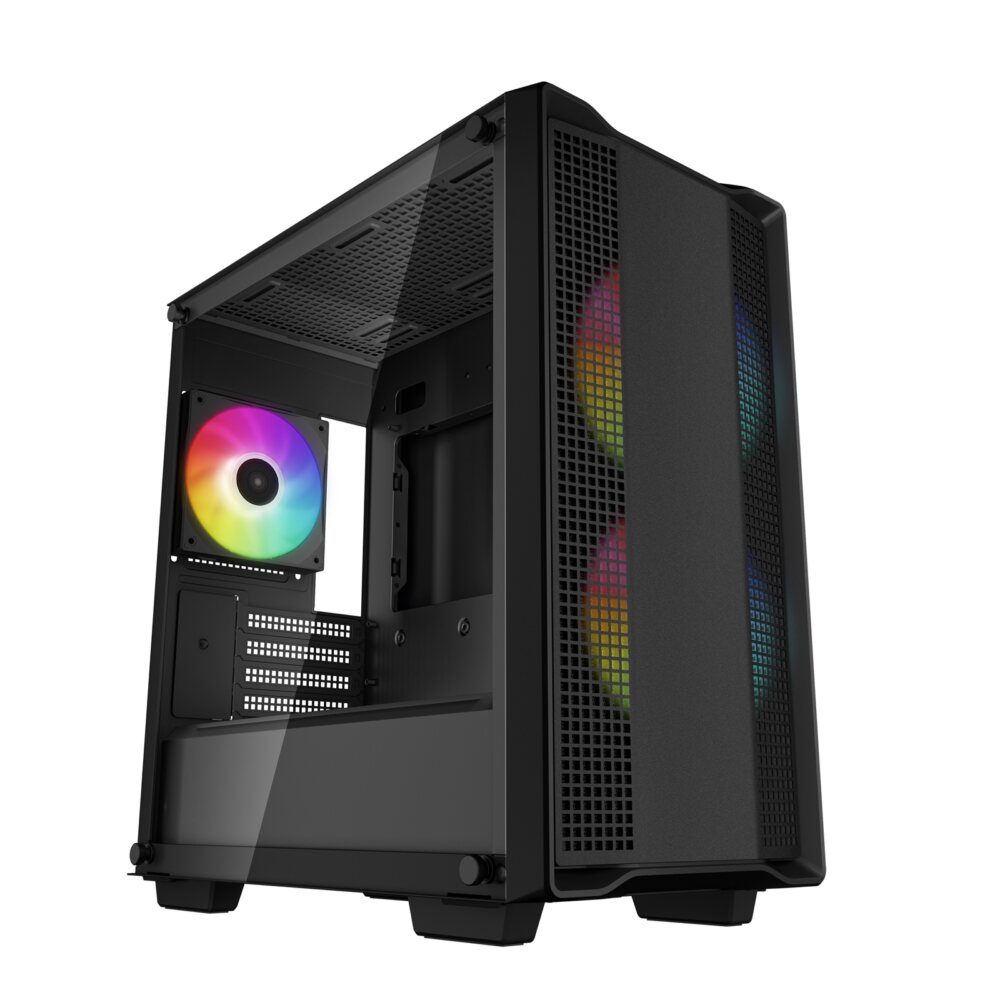
Refurbished1080p gaming
Sandbox Typhoon RTX 2070 refurbished gaming PC
Ryzen 5 5500 + RTX 2070
Made for 1080p screens: Fortnite, Valorant, Minecraft and Rocket League play well. The newest big games may need lower settings.
- Processor
- AMD Ryzen 5 5500 (6 cores, 12 threads)
- Graphics
- NVIDIA GeForce RTX 2070 8GB
- Memory
- 16GB DDR4 memory
- Storage
- 256GB SSD + 1TB 3.5-inch hard drive (tested) + 1TB hard drive
- Windows
- Windows 11 Home not included (optional extra, installed by us)
£799
Built to order
Games this PC plays
- Fortnite Plays well
- Minecraft: Java Edition Plays well
- Minecraft (Bedrock Edition for Windows) Plays well
- Roblox Plays well
- VALORANT Plays well
- Counter-Strike 2 Plays well
- League of Legends Plays well
- EA SPORTS FC™ 26 Plays well
- Grand Theft Auto V Enhanced Plays on low settings
- Marvel Rivals Plays well
Comes with an RGB case - you can swap it for a non-RGB case if you prefer.
Sold by Sandbox Computers, Worcester
Refurbished1080p gaming
Sandbox Frost RX 6600 refurbished gaming PC
Ryzen 5 5500 + RX 6600
Made for 1080p screens: Fortnite, Valorant, Minecraft and Rocket League play well. The newest big games may need lower settings.
- Processor
- AMD Ryzen 5 5500 (6 cores, 12 threads)
- Graphics
- AMD Radeon RX 6600 8GB
- Memory
- 16GB DDR4 memory
- Storage
- 500GB WD Blue 2.5-inch SSD (tested)
- Windows
- Windows 11 Home not included (optional extra, installed by us)
£869
Built to order
Games this PC plays
- Fortnite Plays well
- Minecraft: Java Edition Plays well
- Minecraft (Bedrock Edition for Windows) Plays well
- Roblox Plays well
- VALORANT Plays well
- Counter-Strike 2 Plays well
- League of Legends Plays well
- EA SPORTS FC™ 26 Plays well
- Grand Theft Auto V Enhanced Plays on low settings
- Marvel Rivals Plays well
Comes with an RGB case - you can swap it for a non-RGB case if you prefer.
Sold by Sandbox Computers, Worcester
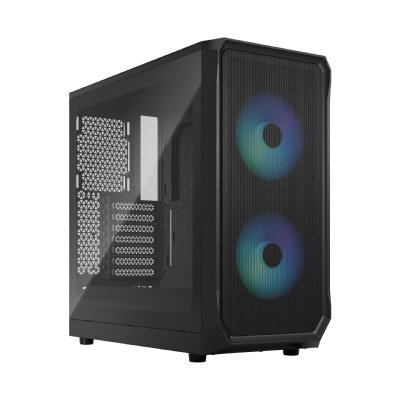
Refurbished1080p gaming
Sandbox Rudolph RX 6600 refurbished gaming PC
Ryzen 5 4500 + RX 6600
Made for 1080p screens: Fortnite, Valorant, Minecraft and Rocket League play well. The newest big games may need lower settings.
- Processor
- AMD Ryzen 5 4500 (6 cores, 12 threads)
- Graphics
- AMD Radeon RX 6600 8GB
- Memory
- 16GB DDR4 memory
- Storage
- 256GB SSD + 1TB 3.5-inch hard drive (tested) + 1TB hard drive
- Windows
- Windows 11 Home not included (optional extra, installed by us)
£879
Built to order
Games this PC plays
- Fortnite Plays well
- Minecraft: Java Edition Plays on low settings
- Minecraft (Bedrock Edition for Windows) Plays well
- Roblox Plays well
- VALORANT Plays well
- Counter-Strike 2 Plays well
- League of Legends Plays well
- EA SPORTS FC™ 26 Plays well
- Grand Theft Auto V Enhanced Plays on low settings
- Marvel Rivals Plays well
Comes with an RGB case - you can swap it for a non-RGB case if you prefer.
Sold by Sandbox Computers, Worcester
Keeping it safe
A PC can be just as safe as a console if you set it up properly. These are the main things to do.
- Give your child their own account. Set it up as a child account in Windows, linked to your own Microsoft account. Do not let them use yours.
- Turn on Microsoft Family Safety. It is free from Microsoft. It lets you set screen time limits, filter websites, approve purchases and see which games are played.
- Check the PEGI age rating. PEGI is the age rating on games sold in the UK and Europe, like 3, 7, 12, 16 or 18. You can block games above a chosen age in Family Safety.
- Check chat settings in each game. Fortnite, Roblox and Minecraft all have their own settings for who can chat or send friend requests. Limit them to friends, or turn chat off for younger children.
- Keep the PC in a shared room. A PC in the living room or kitchen is easier to keep an eye on than one in a bedroom.
- Agree screen time together. Simple rules, agreed in advance, cause fewer arguments than limits that appear from nowhere.
Our advice
Buy for the games your child plays now, with a little room to grow. Set up the child account and family settings on the first day, before the games go on. If the PC is a present, our guide to buying a gaming PC as a gift has more tips. We build and test our PCs on our own bench in Worcester, and we are happy to talk it through on the phone first.
Questions people ask
What age is right for a first gaming PC?
There is no single right age. It depends on the child and on the games. Look at the PEGI age rating on each game they want, and set up a child account with family settings before they start.
Does my child need a graphics card for Minecraft and Roblox?
Not usually. Normal Minecraft and Roblox run on built-in graphics, where the graphics are part of the processor. A graphics card helps with Fortnite at higher settings, Minecraft shaders and bigger games later on.
How do I stop my child talking to strangers in games?
Use the settings in each game and in the child's game accounts to limit chat to friends, or turn it off. Microsoft Family Safety and the Xbox app also let you manage who they can talk to. Check these settings again now and then, because games update.
Can I limit how long my child plays?
Yes. Microsoft Family Safety lets you set daily screen time limits on a Windows PC and see which apps and games are used. Many families also agree simple house rules, like no gaming before homework.