
Keeping your gaming PC cool, clean and fast
A gaming PC works hard and makes heat. Dust and clutter make that heat harder to get rid of. A little care now and then keeps it cool, quiet and fast for years. Here is what to do, in plain steps.
Why heat matters
When parts get too warm, they slow themselves down to stay safe. Games can stutter, and fans get loud. Keeping the PC cool helps it run at full speed and helps the parts last longer.
Give it room to breathe
- Do not block the vents. Leave space around the back, the sides and the top.
- Keep it off carpet. Carpet blocks vents underneath and feeds in fluff.
- Keep it out of closed cupboards, and away from radiators and strong sun.
Deal with dust
Dust is the main enemy. It clogs fans and filters and traps heat inside.
Dust filters. Many cases have filters, often at the front, the top or underneath. Many slide or clip out without opening the case. Check them every month or two, and rinse or brush them clean. Let them dry fully before putting them back.
Inside the case. Before you do anything:
- Switch the PC off and unplug it from the wall. Never touch inside a PC while it is plugged in.
- If it is still under warranty, check with the seller first before opening the case.
- Take it outside, or near an open window, so the dust does not settle back in your room.
- Use short bursts of compressed air on the fans, filters and vents. Hold each fan still with a finger so it does not spin too fast.
- Do not use a vacuum cleaner inside, and do not use water or sprays.
If you are not happy doing this yourself, that is fine. A repair shop can do it for you.
Keep cables tidy
Cables inside a case can block the air. Most gaming PCs are built with cables tucked out of the way. If you add anything, keep its cables tidy too. Behind the desk, keep cables loose and away from the vents.
Keep the software healthy
A clean PC is not just about dust. The software matters too.
- Run Windows Update regularly. It fixes problems and keeps the PC safe.
- Update your graphics driver through NVIDIA or AMD's own app. New drivers often help new games run better.
- Uninstall programs you do not use. Go to Settings, then Apps. Fewer programs starting with Windows means a faster start.
- Remove games you have finished with. Big games fill up storage. A very full drive can slow things down.
Keep an eye on temperatures
You do not need to watch temperatures all the time. But if a game stutters or the fans roar, it is worth a look. The graphics card's own app can often show its temperature. If it seems much hotter than it used to be, clean the dust first. If that does not help, ask for advice.
Signs it needs help
- Fans are much louder than they used to be.
- The PC switches itself off or restarts during games.
- Games stutter more than they did when it was new.
- The case feels very hot, or there is a burning smell. Switch off and unplug straight away.
- Strange noises such as grinding or clicking.
We can help
Sandbox Computers repairs and upgrades computers at our shop in Worcester. If your PC needs a proper clean, a service or an upgrade, see our computer repair page, or call us on 01905 673738.
Wondering if an older PC is worth spending money on? Read is it worth upgrading or buying new? Just bought a PC? See setting up your new gaming PC.
Time for a new one?
Picked from our shop's list by graphics card strength, then price. Prices update by themselves.
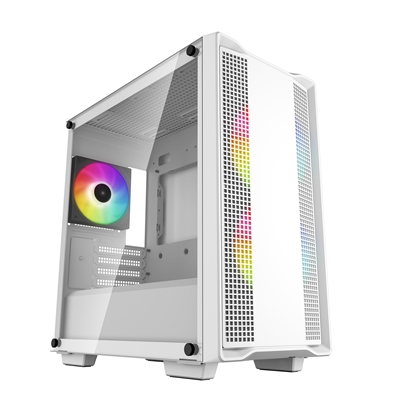
Refurbished1080p gaming
Sandbox Refurb 4 refurbished gaming PC
Ryzen 7 5700X + RTX 4060 Ti
Made for 1080p screens: Fortnite, Valorant, Minecraft and Rocket League play well. The newest big games may need lower settings.
- Processor
- AMD Ryzen 7 5700X (8 cores, 16 threads)
- Graphics
- NVIDIA GeForce RTX 4060 Ti 8GB
- Memory
- 32GB (2 x 16GB) DDR4 memory
- Storage
- 1TB SSD
- Windows
- Windows 11 Home not included (optional extra, installed by us)
£1,319
Built to order
Games this PC plays
- Fortnite Plays well
- Minecraft: Java Edition Plays well
- Minecraft (Bedrock Edition for Windows) Plays well
- Roblox Plays well
- VALORANT Plays well
- Counter-Strike 2 Plays well
- League of Legends Plays well
- EA SPORTS FC™ 26 Plays well
- Grand Theft Auto V Enhanced Plays well
- Marvel Rivals Plays well
Comes with an RGB case - you can swap it for a non-RGB case if you prefer.
Sold by Sandbox Computers, Worcester
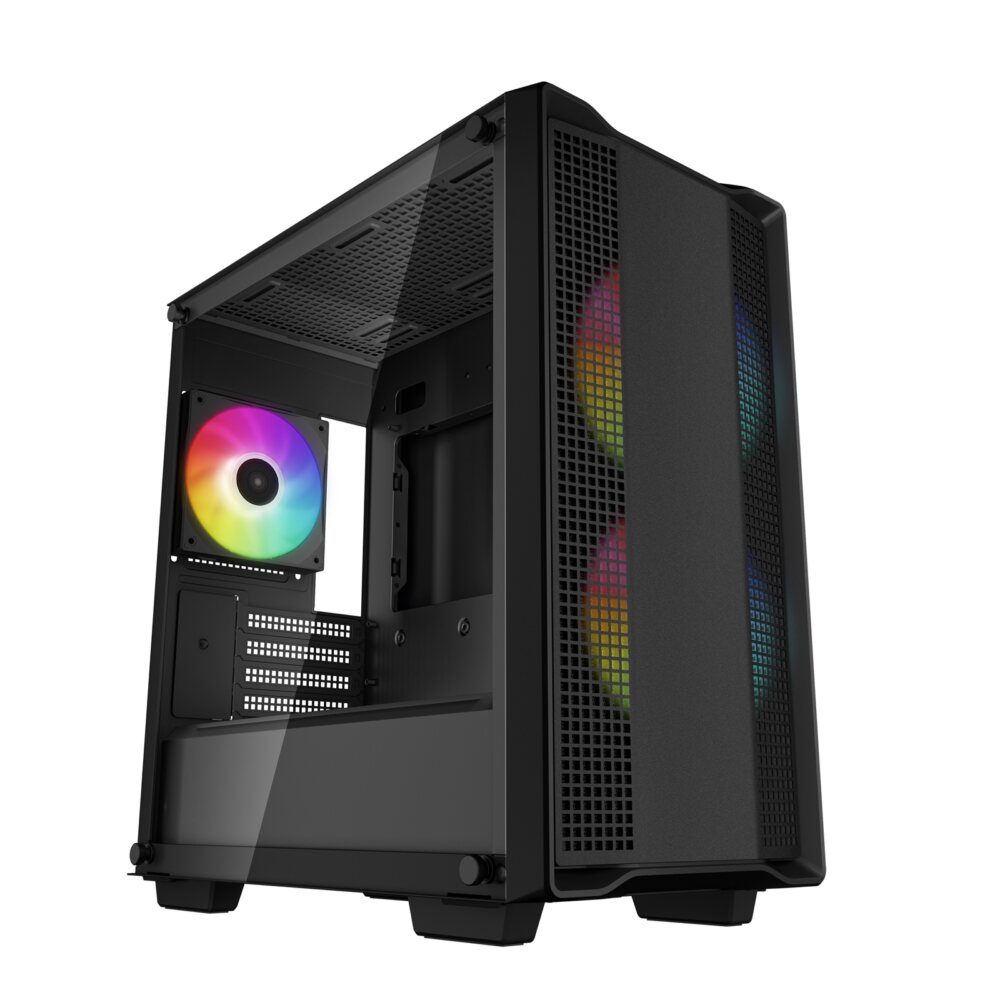
Refurbished1080p gaming
Sandbox Mistletoe RTX 3060 refurbished gaming PC
Ryzen 5 5500 + RTX 3060 12GB
Made for 1080p screens: Fortnite, Valorant, Minecraft and Rocket League play well. The newest big games may need lower settings.
- Processor
- AMD Ryzen 5 5500 (6 cores, 12 threads)
- Graphics
- NVIDIA GeForce RTX 3060 12GB
- Memory
- 16GB DDR4 memory
- Storage
- 500GB WD Blue 2.5-inch SSD (tested)
- Windows
- Windows 11 Home not included (optional extra, installed by us)
£949
Built to order
Games this PC plays
- Fortnite Plays well
- Minecraft: Java Edition Plays well
- Minecraft (Bedrock Edition for Windows) Plays well
- Roblox Plays well
- VALORANT Plays well
- Counter-Strike 2 Plays well
- League of Legends Plays well
- EA SPORTS FC™ 26 Plays well
- Grand Theft Auto V Enhanced Plays well
- Marvel Rivals Plays well
Comes with an RGB case - you can swap it for a non-RGB case if you prefer.
Sold by Sandbox Computers, Worcester
Refurbished1080p gaming
Sandbox Refurb 3 refurbished gaming PC
Ryzen 5 5600 + RTX 3060 12GB
Made for 1080p screens: Fortnite, Valorant, Minecraft and Rocket League play well. The newest big games may need lower settings.
- Processor
- AMD Ryzen 5 5600 (6 cores, 12 threads)
- Graphics
- NVIDIA GeForce RTX 3060 12GB
- Memory
- 16GB DDR4 memory
- Storage
- 1TB SSD
- Windows
- Windows 11 Home not included (optional extra, installed by us)
£1,079
Built to order
Games this PC plays
- Fortnite Plays well
- Minecraft: Java Edition Plays well
- Minecraft (Bedrock Edition for Windows) Plays well
- Roblox Plays well
- VALORANT Plays well
- Counter-Strike 2 Plays well
- League of Legends Plays well
- EA SPORTS FC™ 26 Plays well
- Grand Theft Auto V Enhanced Plays well
- Marvel Rivals Plays well
Comes with an RGB case - you can swap it for a non-RGB case if you prefer.
Sold by Sandbox Computers, Worcester
A refurbished PC can be a good-value way to step up. Read buying a refurbished gaming PC for what to check.
Questions people ask
How often should I clean my gaming PC?
It depends on the room. A PC in a dusty room, near pets or on the floor needs cleaning more often. Look at the dust filters every month or two. If you can see a layer of dust, it is time to clean them.
Can I use a vacuum cleaner inside my PC?
It is best not to. A vacuum can build up static electricity and can suck up small parts. Use short bursts of compressed air instead, outside or by an open window, with the PC switched off and unplugged.
Why are my PC fans so loud?
Usually because the PC is getting warm. Dust blocking the filters or fans is the most common cause. Blocked vents, a hot room or a demanding game can also make fans speed up.
Is it safe to open my PC case?
Only with the PC switched off and unplugged. If the PC is still under warranty, check with the seller first, so you do not affect your cover. If you are not confident, ask a repair shop.